
Out-of-stock and void tracking
Find every out-of-stock and void, and get it fixed before the next principal call.
At a typical store visit, 26% of the products a broker tracks aren’t on the shelf. An out-of-stock costs your principal a sale today. A void, an authorized item with no spot on the shelf, costs them every sale until someone notices, and voids rarely fix themselves. AuditPro makes both visible store by store, the day the rep walks the aisle, with the reorder codes your team needs to act.
What 120,000+ store visits show
- 17 issues per visit. Each visit flags about 6 out-of-stocks and 11 voids on average.
- Out-of-stocks mostly recover. 56% are back on the shelf within 45 days and 75% within 90 days.
- Voids are slower. Only 34% of new voids are fixed within 45 days, 50% within 90 days and 63% within 180 days.
- Old voids stick. Once a void has been there a while, 80% are still void at the next visit.
That’s why AuditPro gives voids their own follow-up queue instead of leaving them in a monthly spreadsheet.
Source: AuditPro store visit data, more than 120,000 visits at more than 4,000 stores, 2018 to 2026. A gap starts when a product that was in stock at the last visit is missing now. It counts as fixed when a later visit finds it in stock. See the full shelf data.
In the aisle
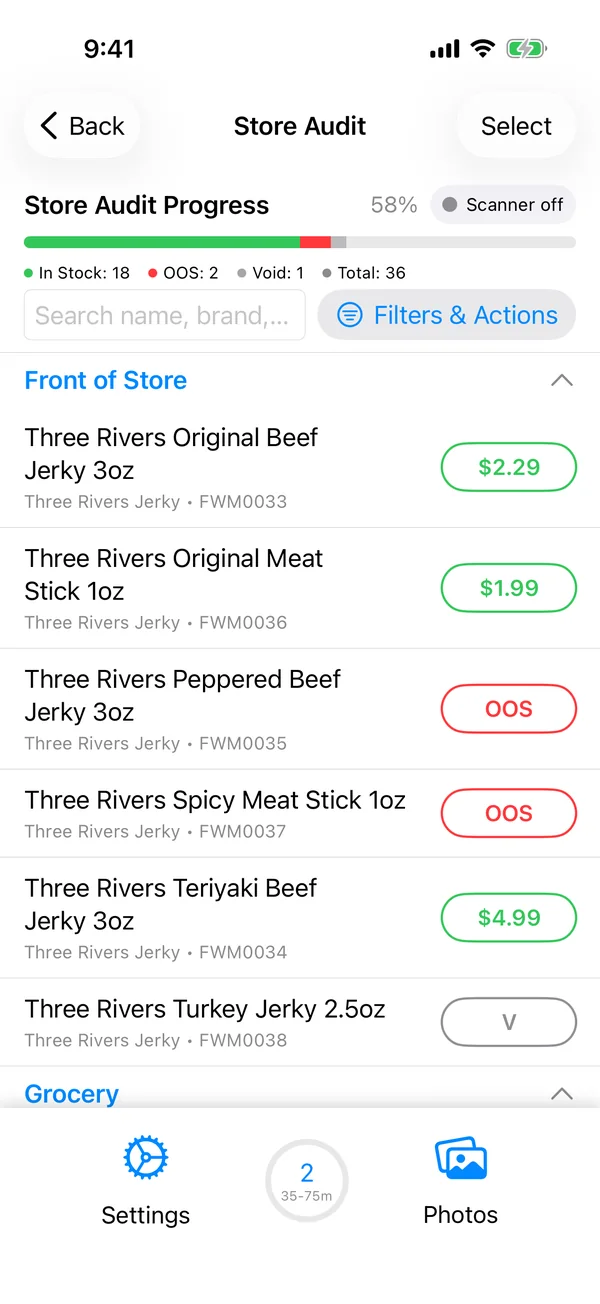
- Each visit starts with the full list of authorized products for that chain, grouped by department.
- The rep scans the shelf with a Bluetooth scanner. Each scan opens the product, ready for a price and a status.
- Out-of-stock and void are one tap each. A progress bar shows what’s left in each department.
- Before walking in, the rep sees past visits’ out-of-stocks and voids by section, so they know where to look.
- Before leaving, the rep prints the out-of-stocks and voids for the store manager on a Bluetooth Zebra printer.
In the office
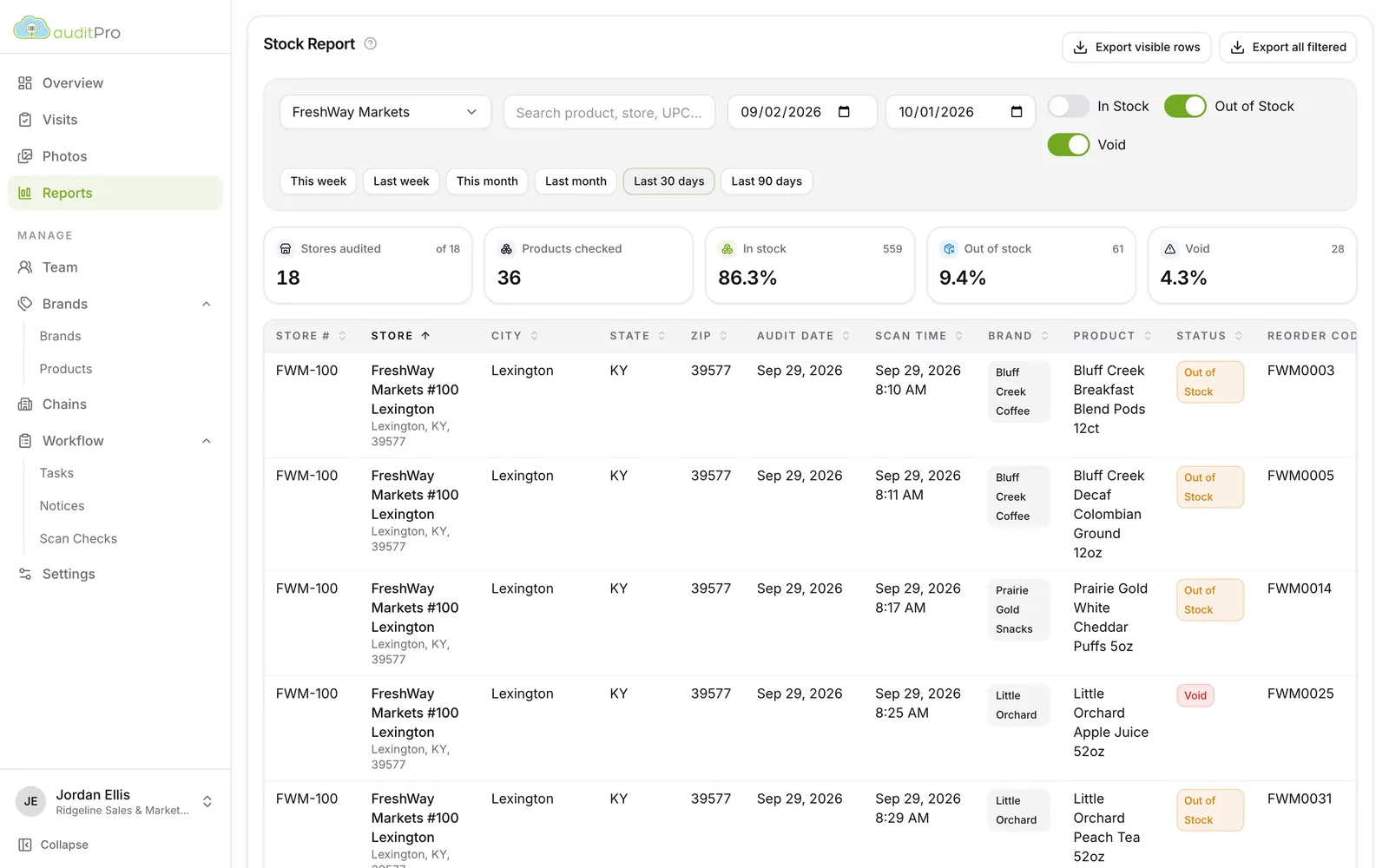
- Out-of-stock report: every out-of-stock and void from each store’s visits, with the chain’s reorder codes, ready for the reorder call.
- Void follow-up queue: every store and product with a void, filtered by chain, brand, store and date. It shows which reps saw it and whether the item is ever in stock or always void.
- Store report: the product history for one store, with the visits and photos behind it.
- Everything exports to Excel with UPCs intact.
For your principals
The monthly brand packet reports in-stock, out-of-stock and void rates by chain and state, and lists the voids still open. Principals see the problem and the follow-up in one PDF. What’s in a packet.
See AuditPro with your chains and your brands.
Book a 30-minute walkthrough and we’ll show you the app, the dashboard and the reports, set up the way your team works.