
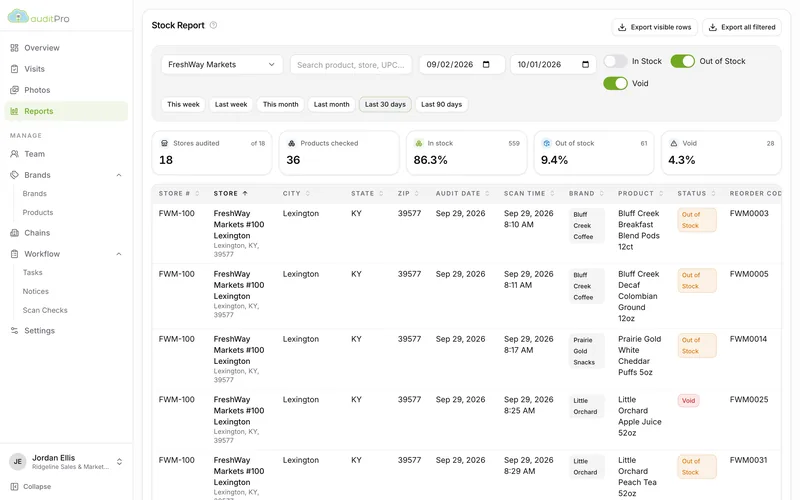
OOS report
Out-of-stock and void exceptions from each store’s visits, with reorder codes, ready for the reorder call.
Shelf intelligence for food brokers
AuditPro gives your reps a scan-first iOS app for store visits and gives your office a live dashboard and principal-ready reports. Out-of-stocks, voids, prices, photos and notes go from the aisle to your principals the same day.
How it works
The work your rep does in the aisle feeds every screen and report in the office. No re-keying, no spreadsheets passed around by email.
Load stores, departments, products and reorder codes for each chain. Add the tasks, ad notices and surveys you want covered on every visit.
Reps pick a nearby store, scan the set, record prices, mark out-of-stocks and voids, take photos, complete tasks, and print a summary for the store manager.
Visits show up in the dashboard as they upload. Coverage, stock health and void exceptions roll up by chain, store and brand, ready to send.
The field app
The AuditPro iOS app keeps your reps moving: scan, price, flag, photograph, and get on to the next store.
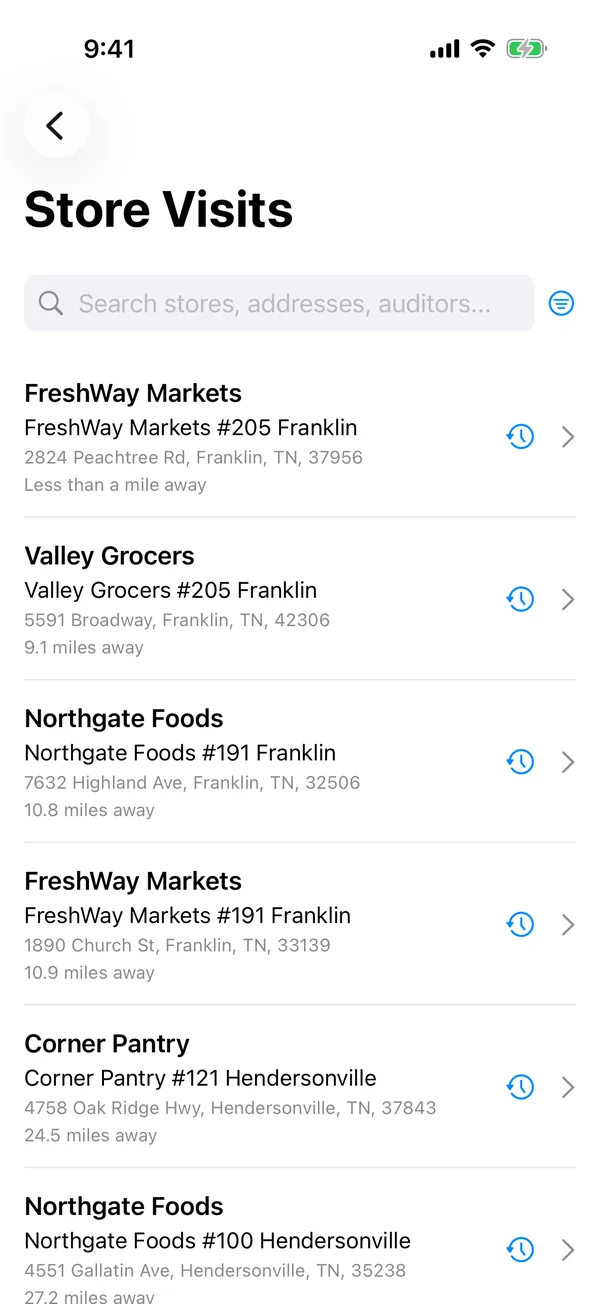
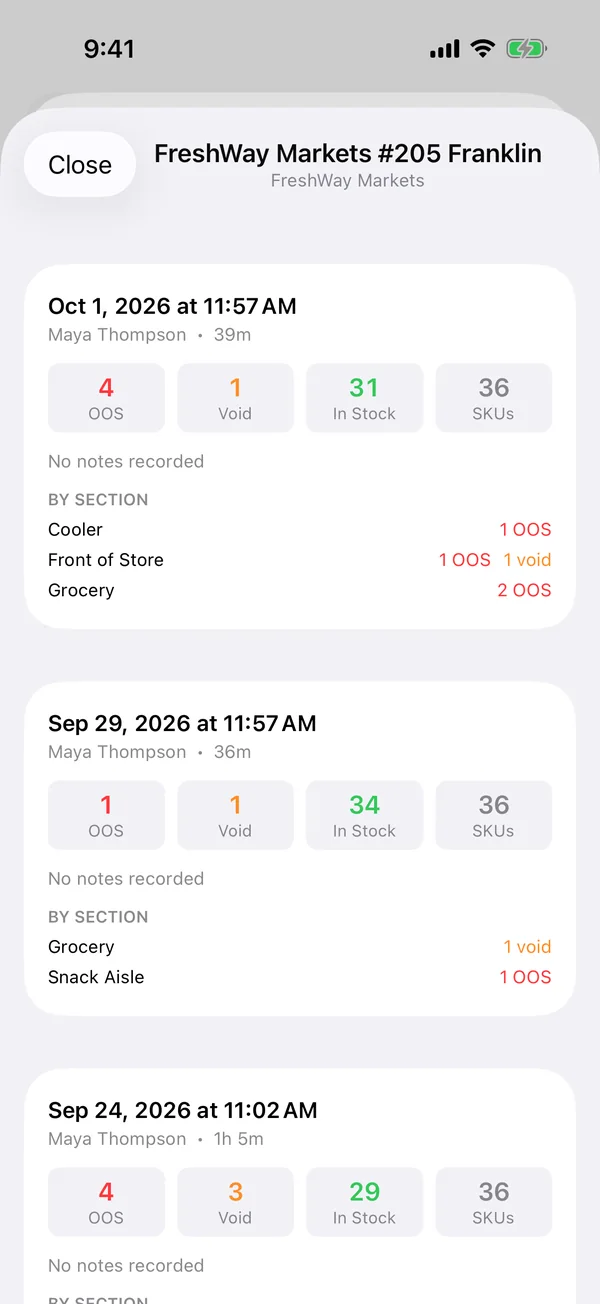
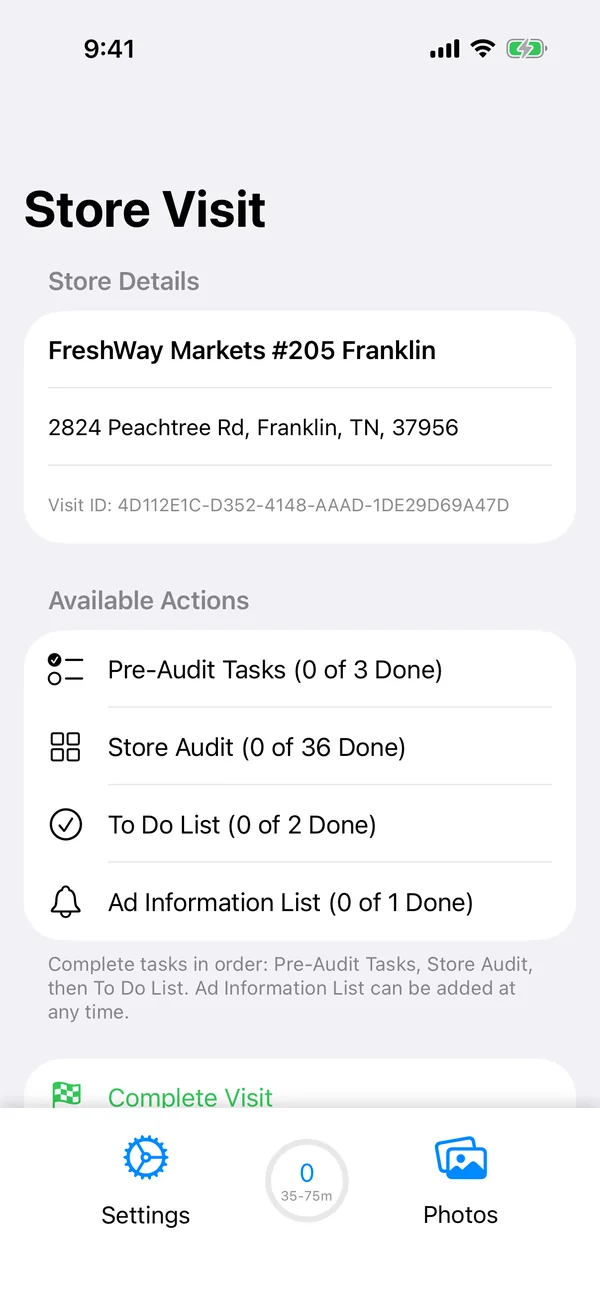
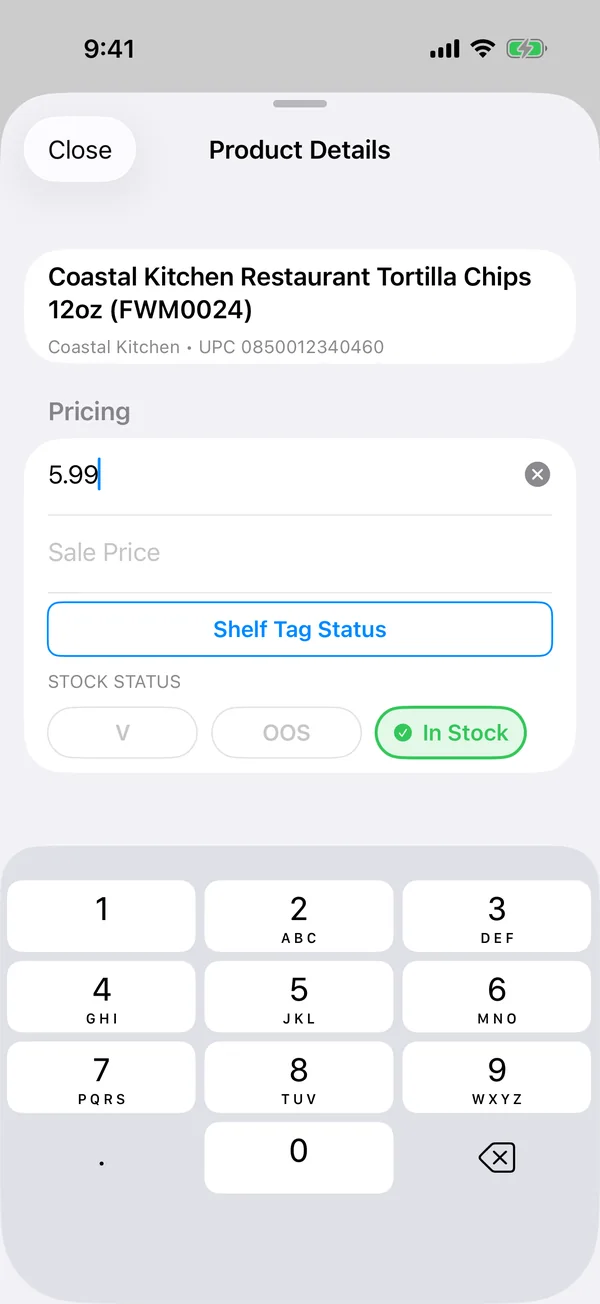
Pair a Bluetooth barcode scanner and the right product opens on every scan. Capture retail and sale prices, mark out-of-stocks and voids in one tap, and watch the progress bar fill in by department.
Add your own yes/no checks per product, such as “shelf tag present” or “promo signage up”, and see the answers alongside each scan.
Schedule before- and after-audit tasks, time-boxed ad notices and manager surveys by chain department. Tasks can require a photo, a number or a written answer.
Photos are tagged to the visit, task or product they belong to, with notes and location, and can be reassigned later from the visit gallery.
Keep internal notes for your team and store notes for the manager. Store notes, out-of-stocks and voids print on a Bluetooth Zebra printer before the rep leaves.
Everything is saved on the device as the rep works. Finished visits upload in the background and keep retrying, even after the app is closed.
The dashboard
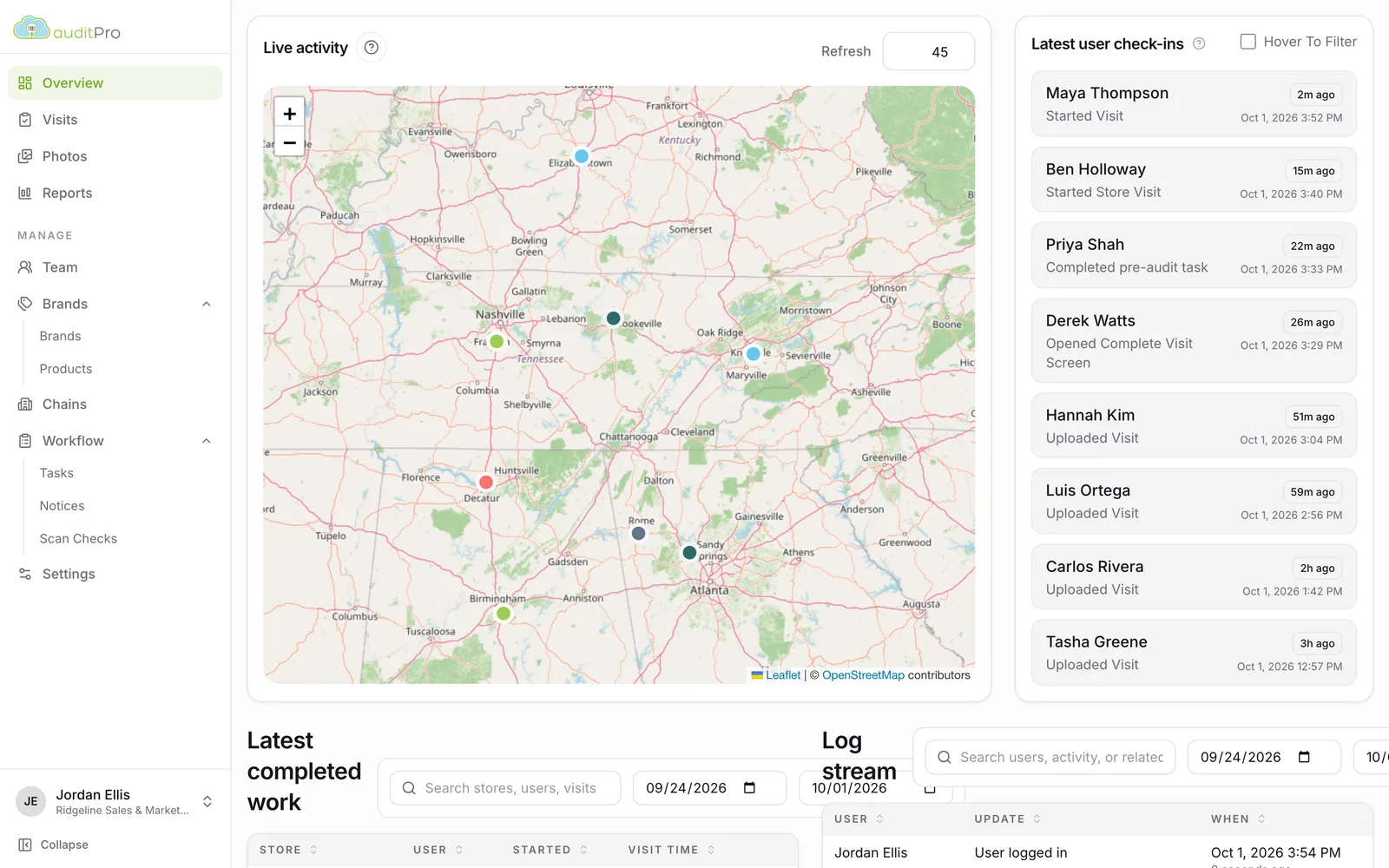
Managers get a live picture of where the team is, what’s been finished, and what each store looked like, all in the browser.
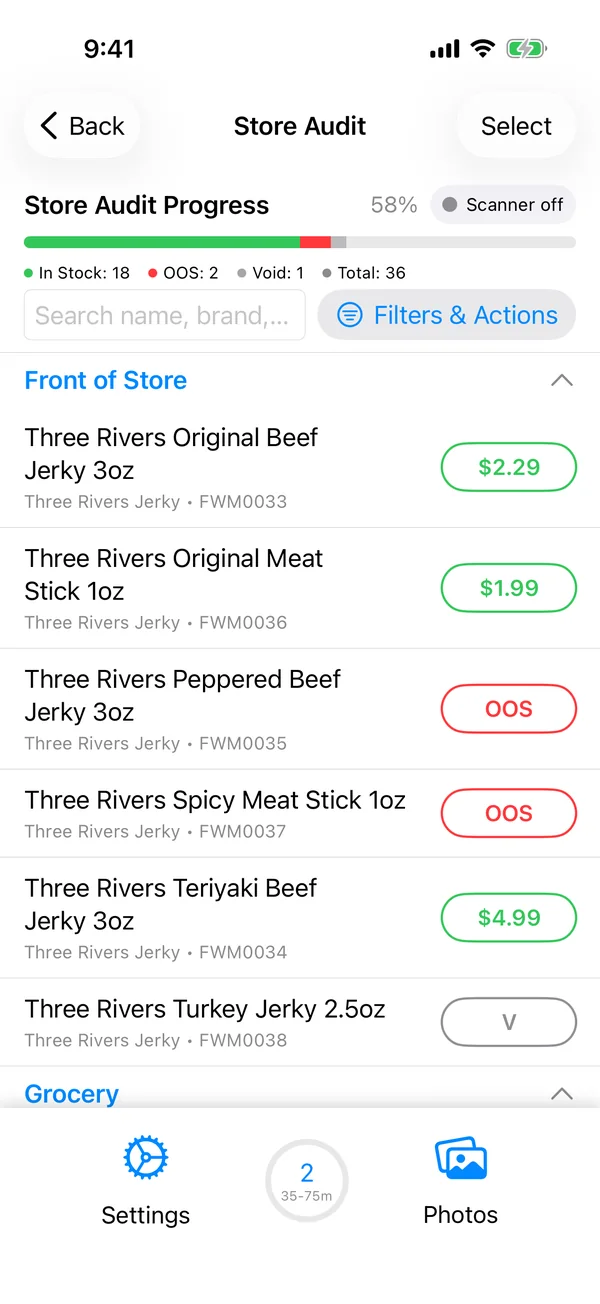
A map of your reps’ latest check-ins, refreshed on a timer you choose, beside a feed of who started, finished and uploaded which visit.
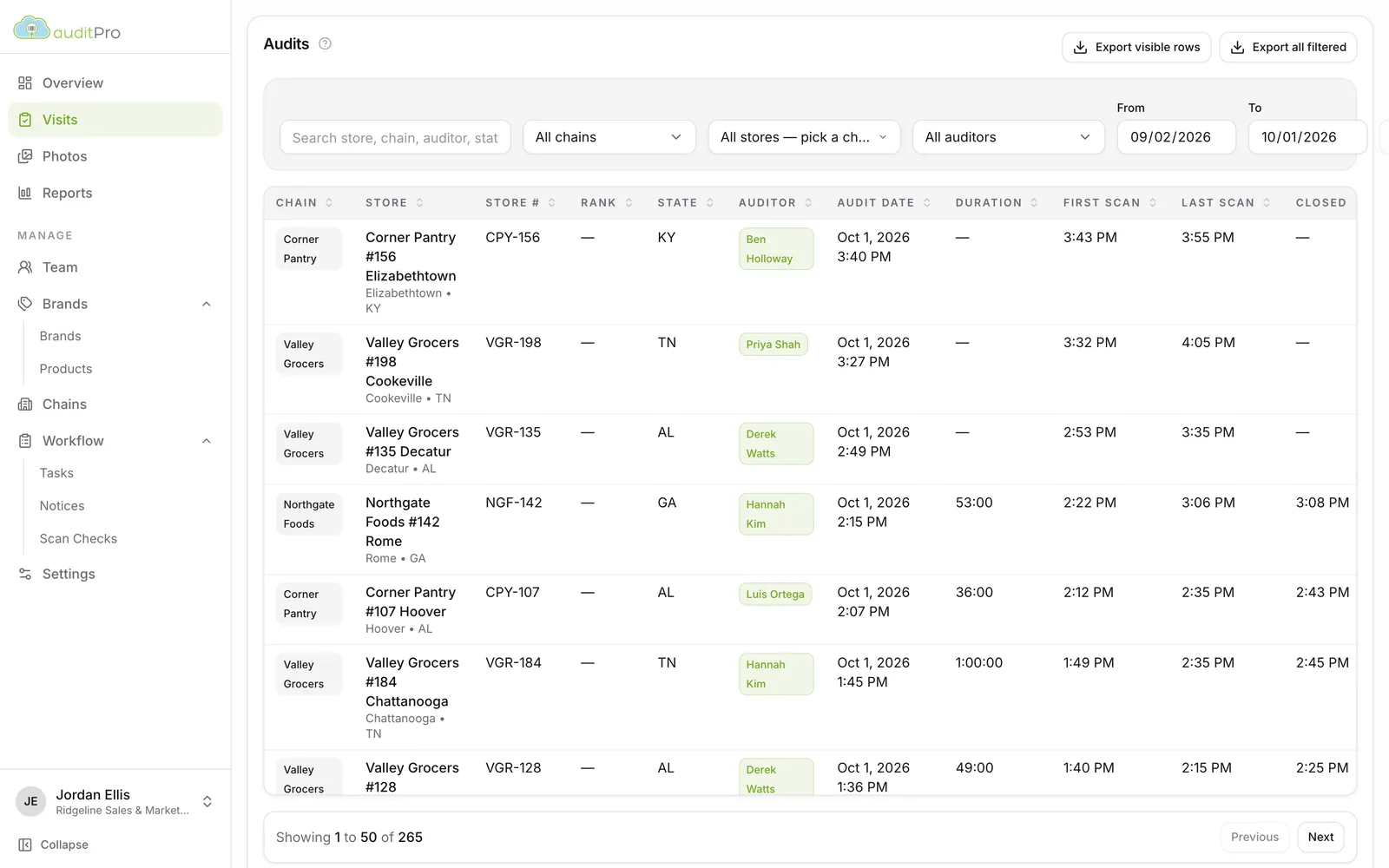
Filter visits by chain, store, rep and date. Each row shows duration, first and last scan, and time to close, with notes previewed in place.
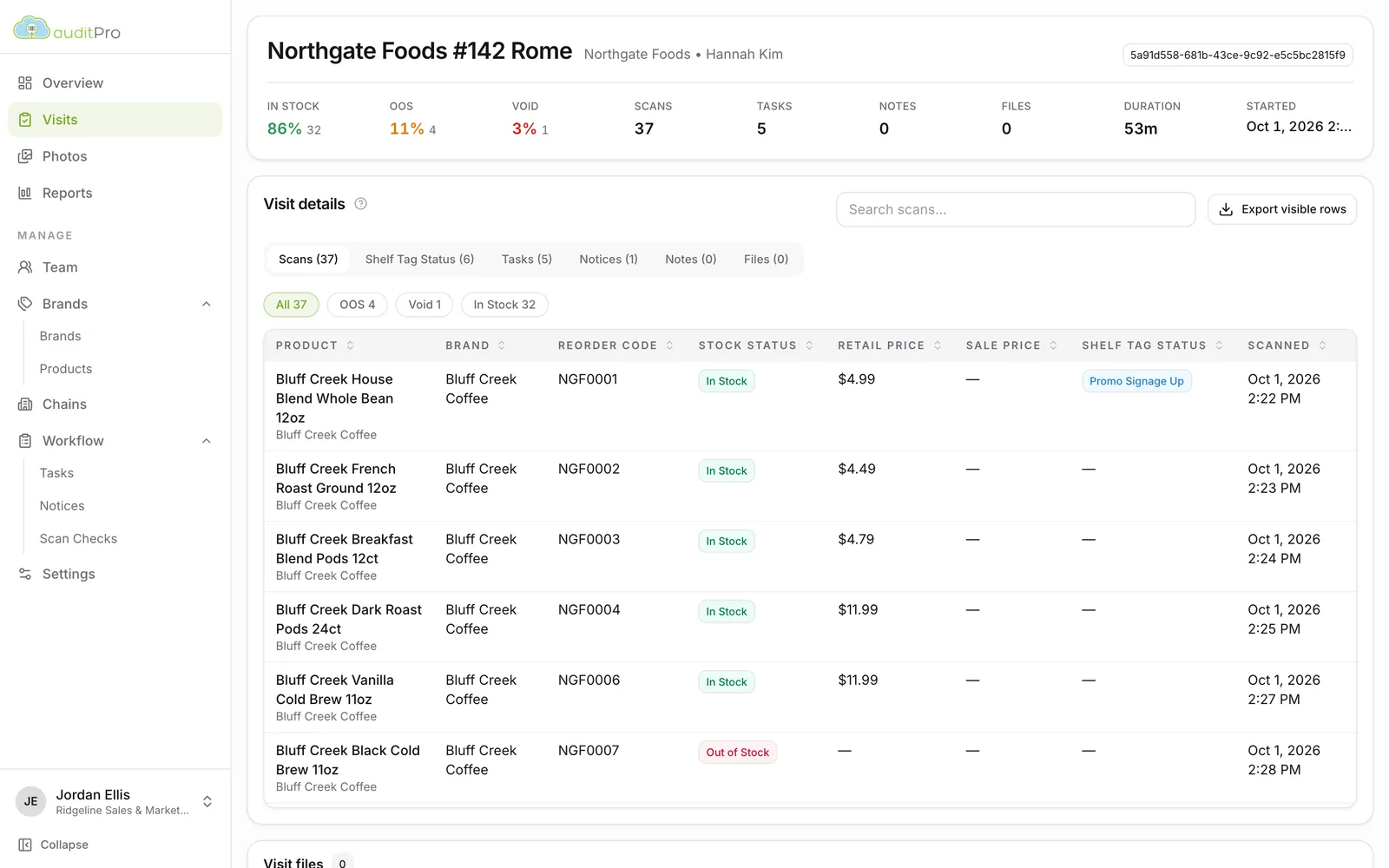
Open a visit to see every scan with its status, price and shelf-tag result, plus tasks, notices, notes and photos from that stop.
Browse every photo from the field, filter by type, and sort by store or manufacturer. Pick the ones you need and download them as a zip, a PowerPoint deck, or a branded PDF photo document with your logo.
Every table exports to Excel, either the rows on screen or everything that matches your filters, with UPCs kept intact.
Reports
Turn thousands of scans into the handful of numbers a brand or a chain buyer cares about, and the follow-up list your team needs.
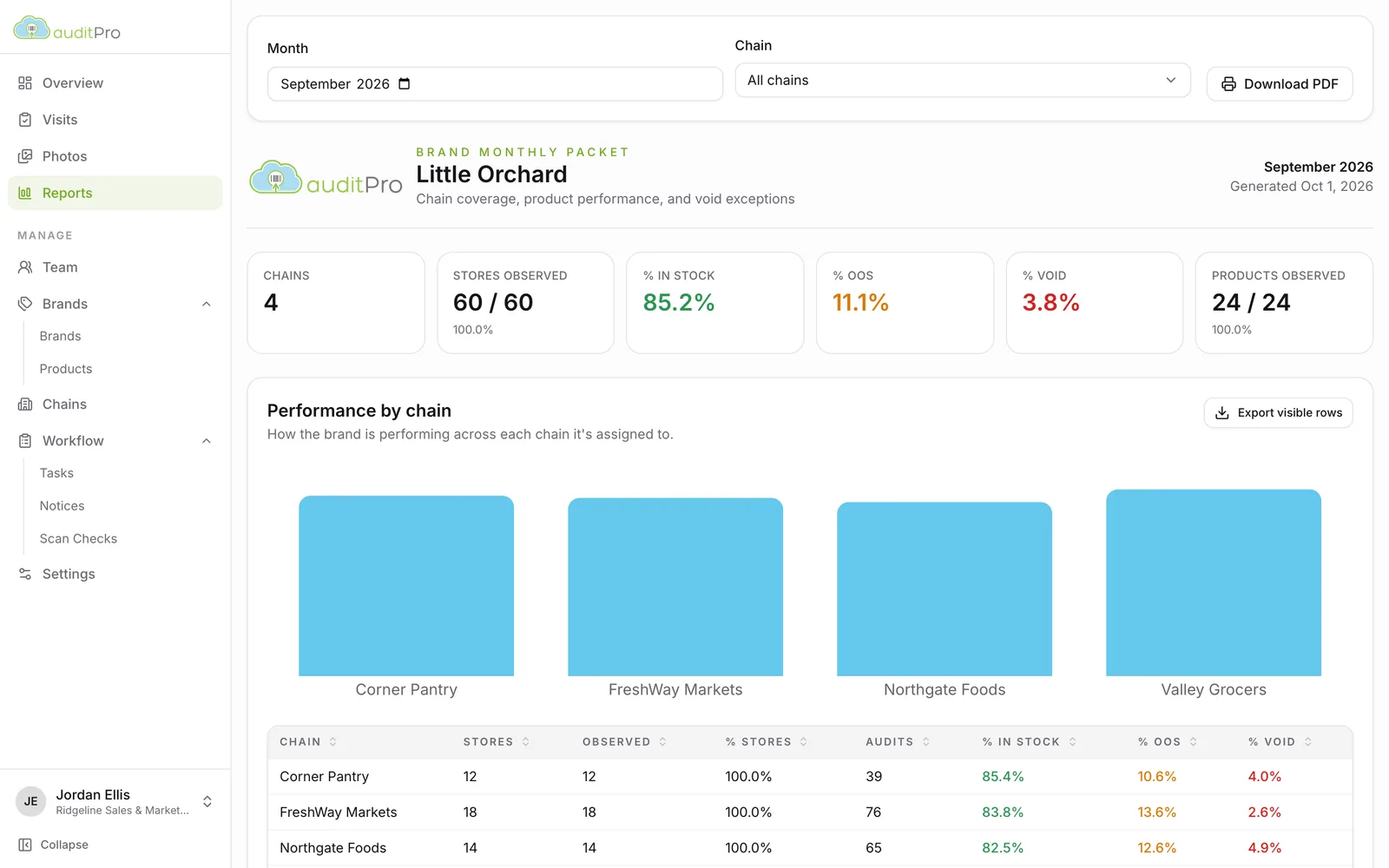
One click builds a monthly packet for a principal or a chain: stores observed, in-stock, OOS and void rates, performance by chain or state, product-level pricing, and the void exceptions to follow up. Download it as a PDF and send it.
See it with your data
Out-of-stock and void exceptions from each store’s visits, with reorder codes, ready for the reorder call.
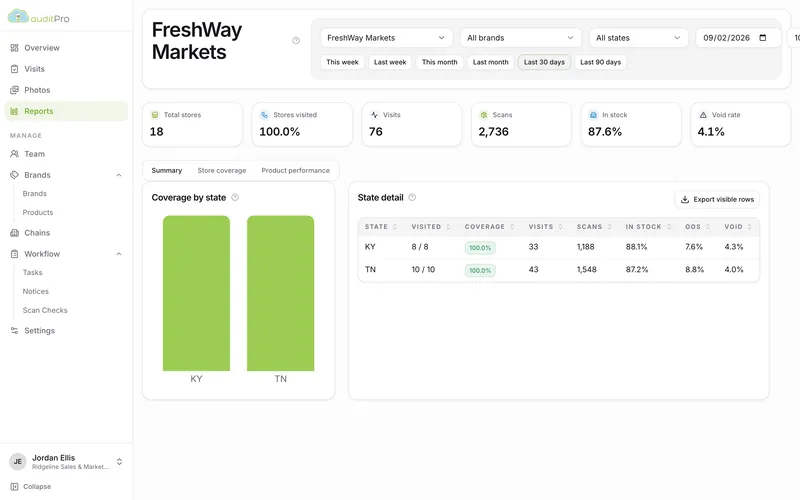
Store coverage by state, stock health, and a product grid across every store in the chain, filtered by brand.
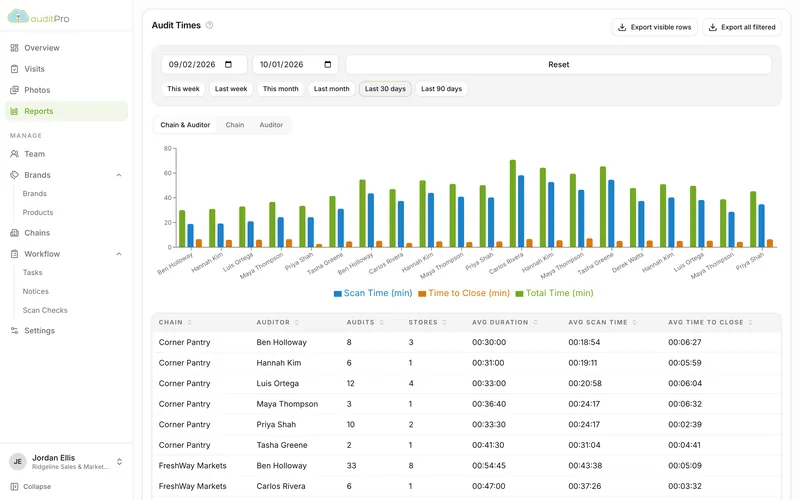
Average visit length, scan time and time to close, by rep or by chain, so you can plan routes and coach.
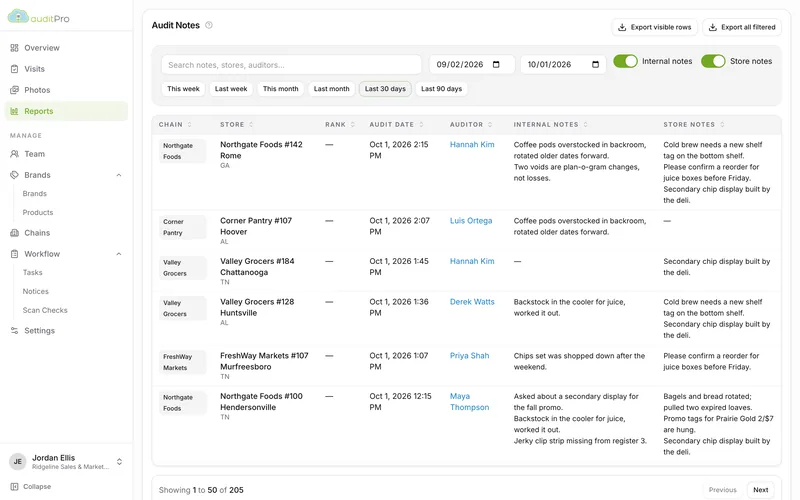
Every internal and store-manager note from the field in one searchable list, sortable by chain, store, rep or date.
Also included: a chain overview comparing every chain side by side, a store report with product snapshots and visit evidence, and a void follow-up queue.
What’s in a principal packet → Out-of-stock and void tracking →
Setup
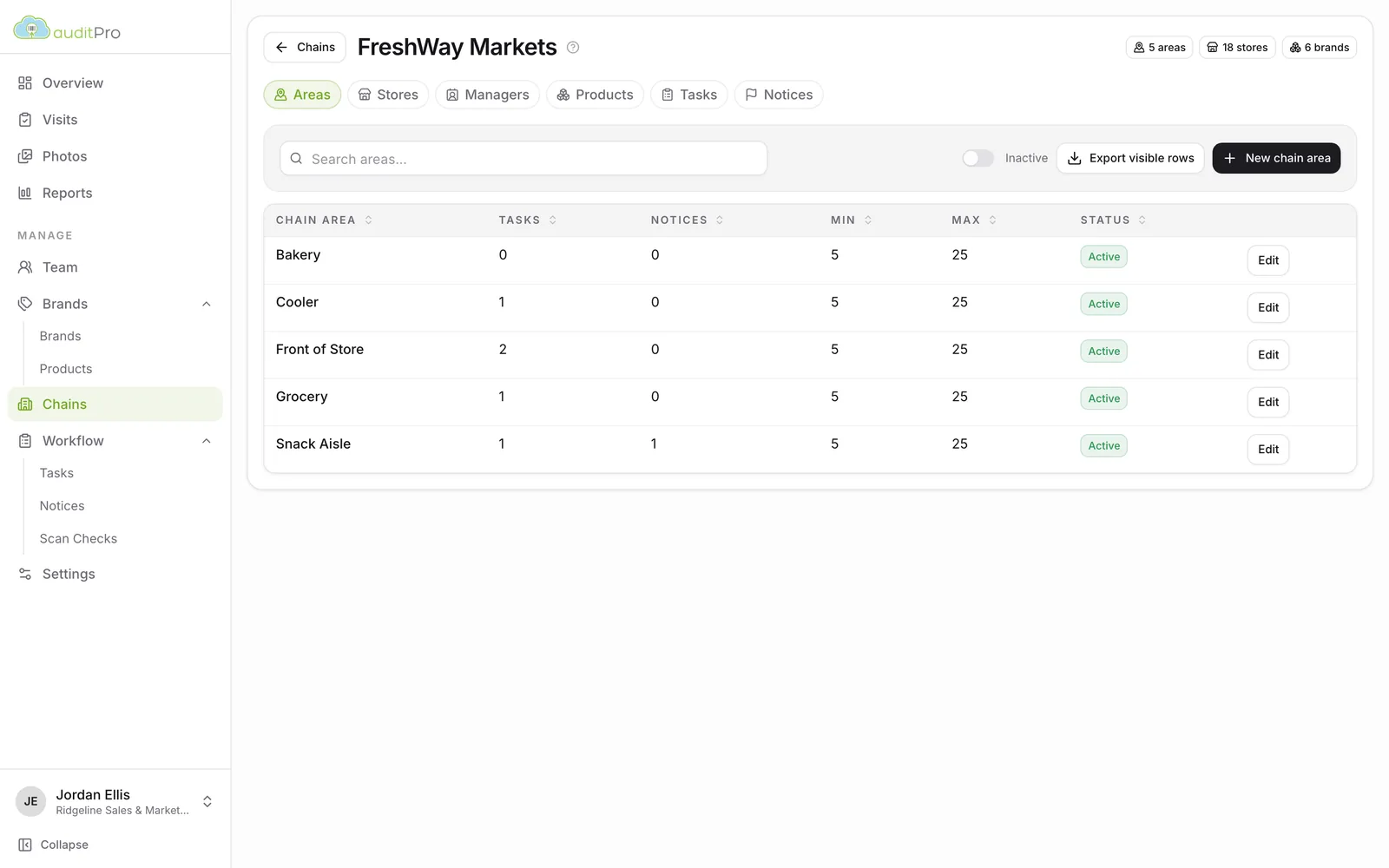
Every chain is laid out differently. AuditPro lets you model each one, so the app walks reps through the store in the right order.
Why AuditPro
AuditPro was built for food brokers and is still run by people who know the business. We combine purpose-built software with a personal touch, from guided onboarding to features shaped by the brokers who use AuditPro every day.
The result is shelf data your principals trust, delivered without your reps spending their evenings on spreadsheets.
Since 2018, reps using AuditPro have logged more than 120,000 store visits and 6.5 million product checks across more than 4,000 stores. See what they found on the shelf.
“Our clients renew year after year because of the transformation AuditPro has brought to their operations, providing efficient and invaluable shelf intelligence data that has optimized product placement and inventory levels, significantly impacting sales & reorder performance.”
 RM GoynesPresident & CEO, AuditPro
Book a 30-minute walkthrough and we’ll show you the app, the dashboard and the reports, set up the way your team works.